![logo-horizontal_w.png]](https://support.tiled.co/hs-fs/hubfs/logo-horizontal_w.png?height=30&name=logo-horizontal_w.png)
Overview
v64.0.0 updates Google sign-in to keep it current and reliable, and adds Microsoft sign-in as a new option. Both changes require no action from existing users.
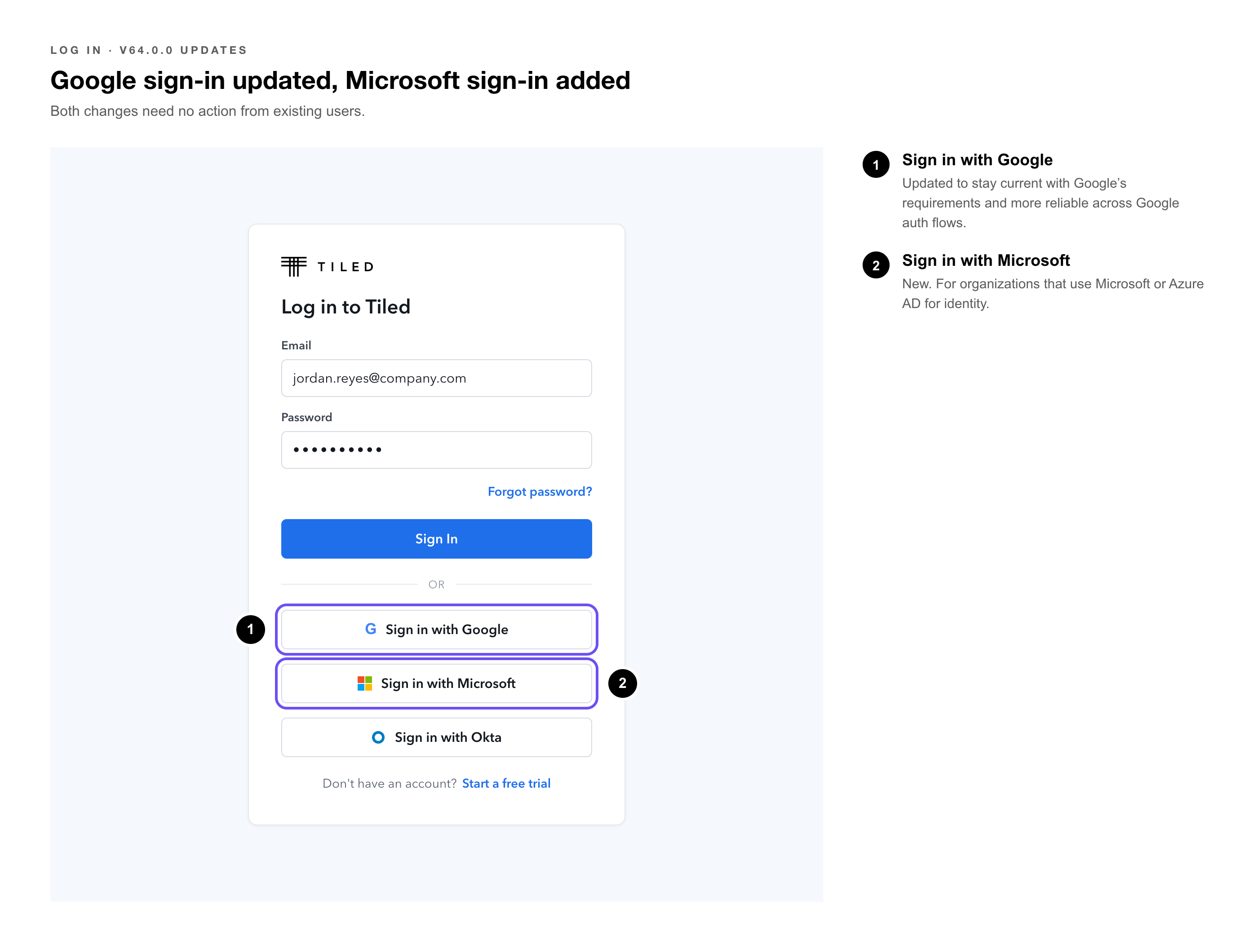
1. Google Login Update
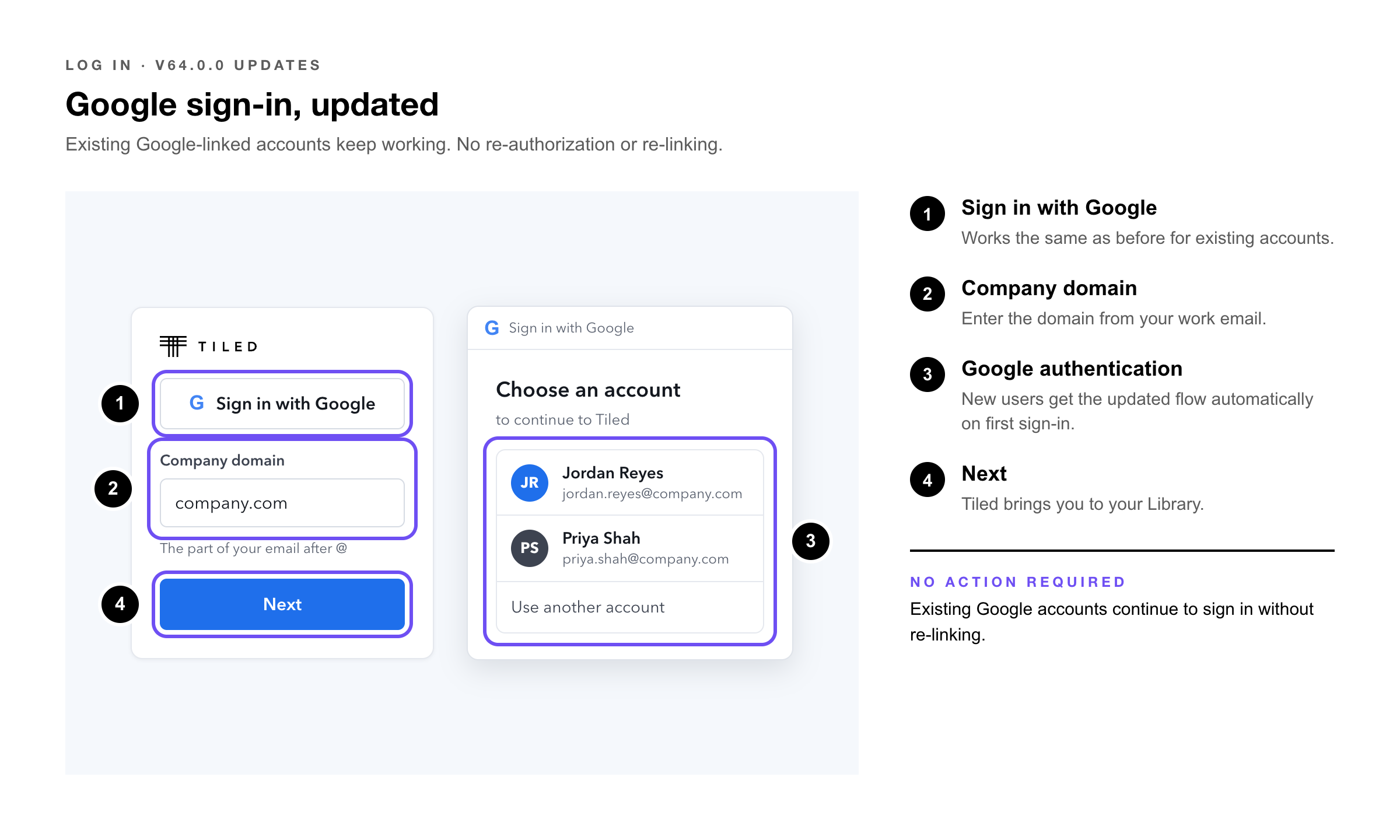
The Google sign-in integration has been updated. Existing accounts linked to Google continue to work without any re-authorization or re-linking required. The update improves reliability across Google auth flows and keeps the integration current with Google's requirements.
|
Existing Google accounts |
No action required. Sign in with Google continues to work without re-linking. |
|
New users signing in with Google |
The updated flow applies automatically on first sign-in. |
|
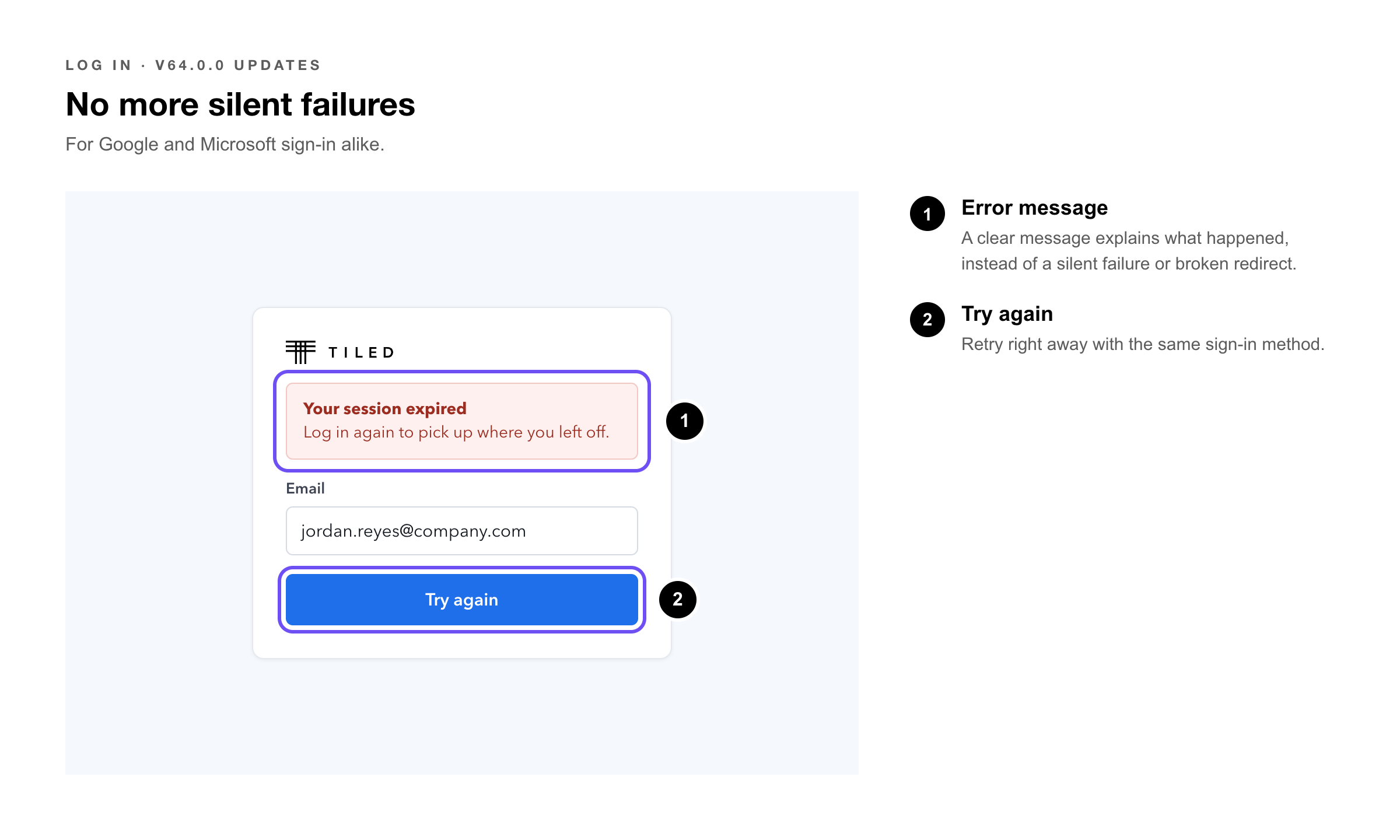
Expired or failed sessions |
A clear error message and retry option appear rather than a silent failure or broken redirect. |
2. Microsoft Sign-In
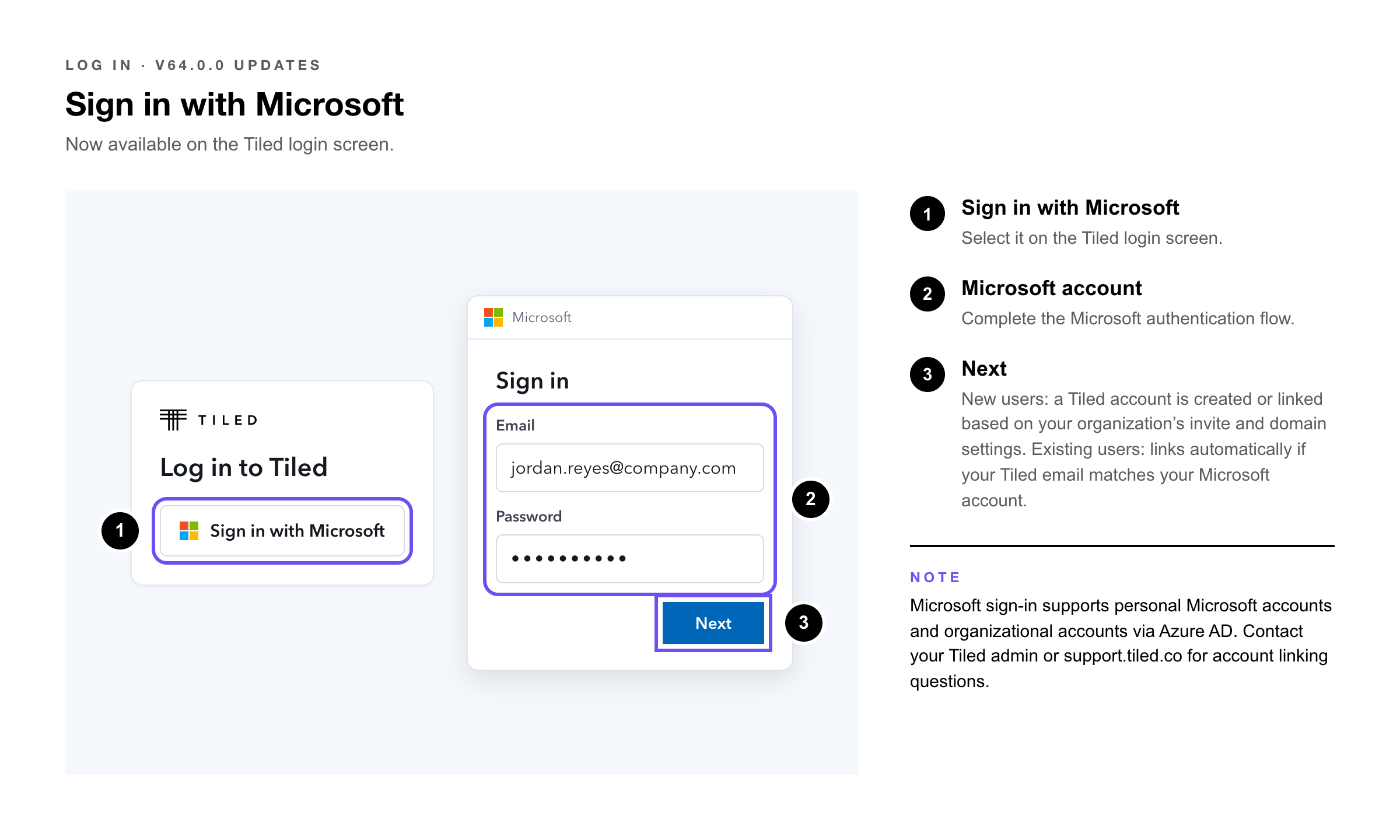
Microsoft sign-in is now available on the Tiled login screen. Users whose organizations use Microsoft or Azure AD for identity can sign in to Tiled with their Microsoft account.
|
New users |
Select Sign in with Microsoft on the Tiled login screen and complete the Microsoft authentication flow. A Tiled account is created or linked based on your organization's invite and domain settings. |
|
Existing users |
If your Tiled account email matches your Microsoft account, sign in with Microsoft links automatically. Contact your Tiled admin if your accounts need to be linked manually. |
|
Failed or expired sessions |
A clear error message and retry option appear rather than a silent failure. |
|
Note: Microsoft sign-in supports both personal Microsoft accounts and organizational accounts via Azure AD. Account creation and linking behavior follows your organization's Tiled domain and invite settings. Contact your Tiled admin or support.tiled.co for account linking questions. |