![logo-horizontal_w.png]](https://support.tiled.co/hs-fs/hubfs/logo-horizontal_w.png?height=30&name=logo-horizontal_w.png)
Overview
In Builder 2.0, selecting a tile group now shows the same multi-edit Properties Panel as selecting multiple individual tiles. Properties shared across all tiles in the group are editable in bulk from a single selection.
How It Works
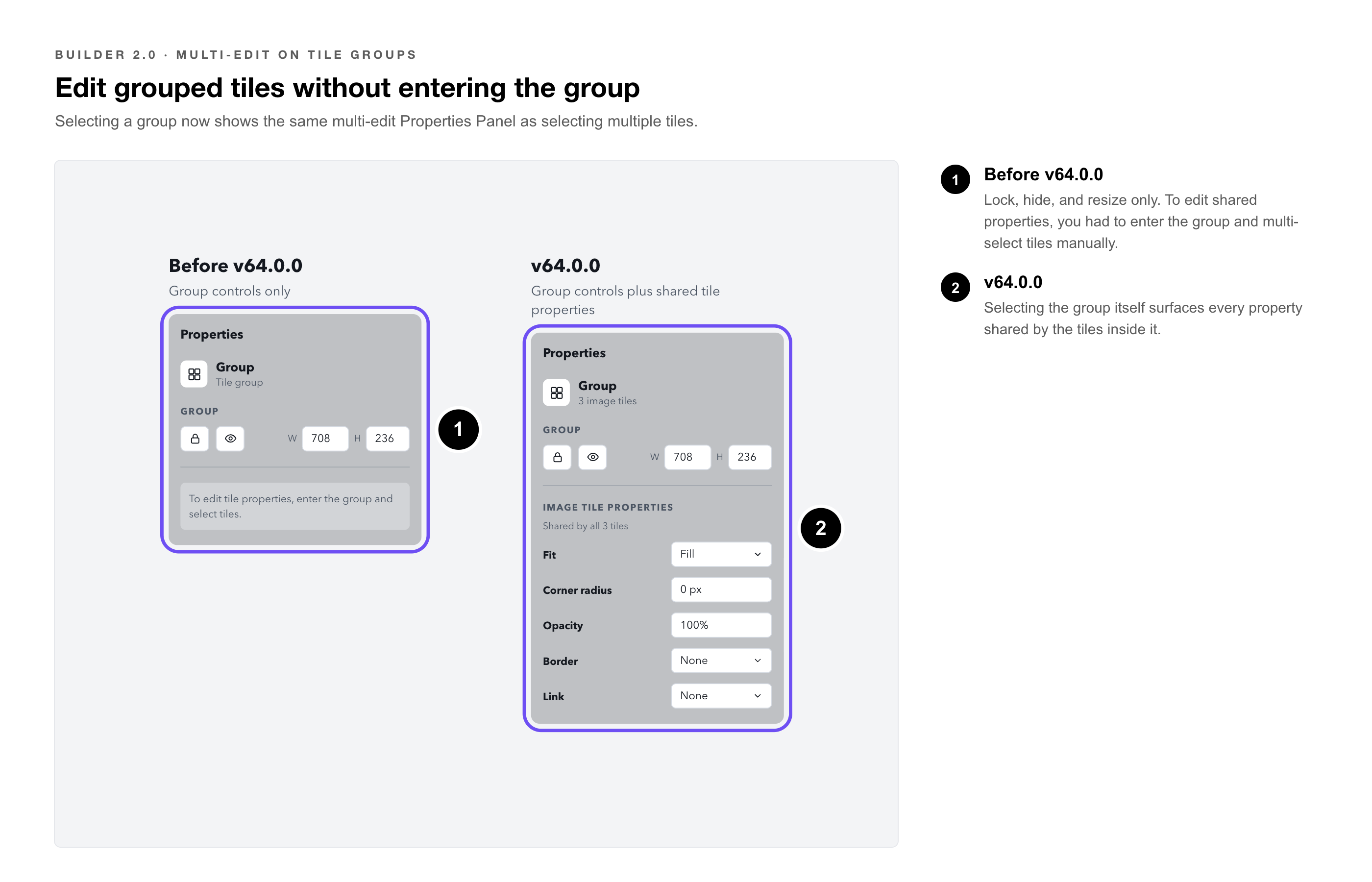
Before v64.0.0, selecting a group showed group-level controls (lock, hide, resize) but did not expose the tile properties inside the group for bulk editing. To edit shared properties across grouped tiles, a creator had to enter the group and multi-select tiles manually.
After v64.0.0, selecting the group itself surfaces all properties shared by the tiles inside it. Edit once, and the change applies to every tile in the group.
What Properties Are Available
|
Shared properties |
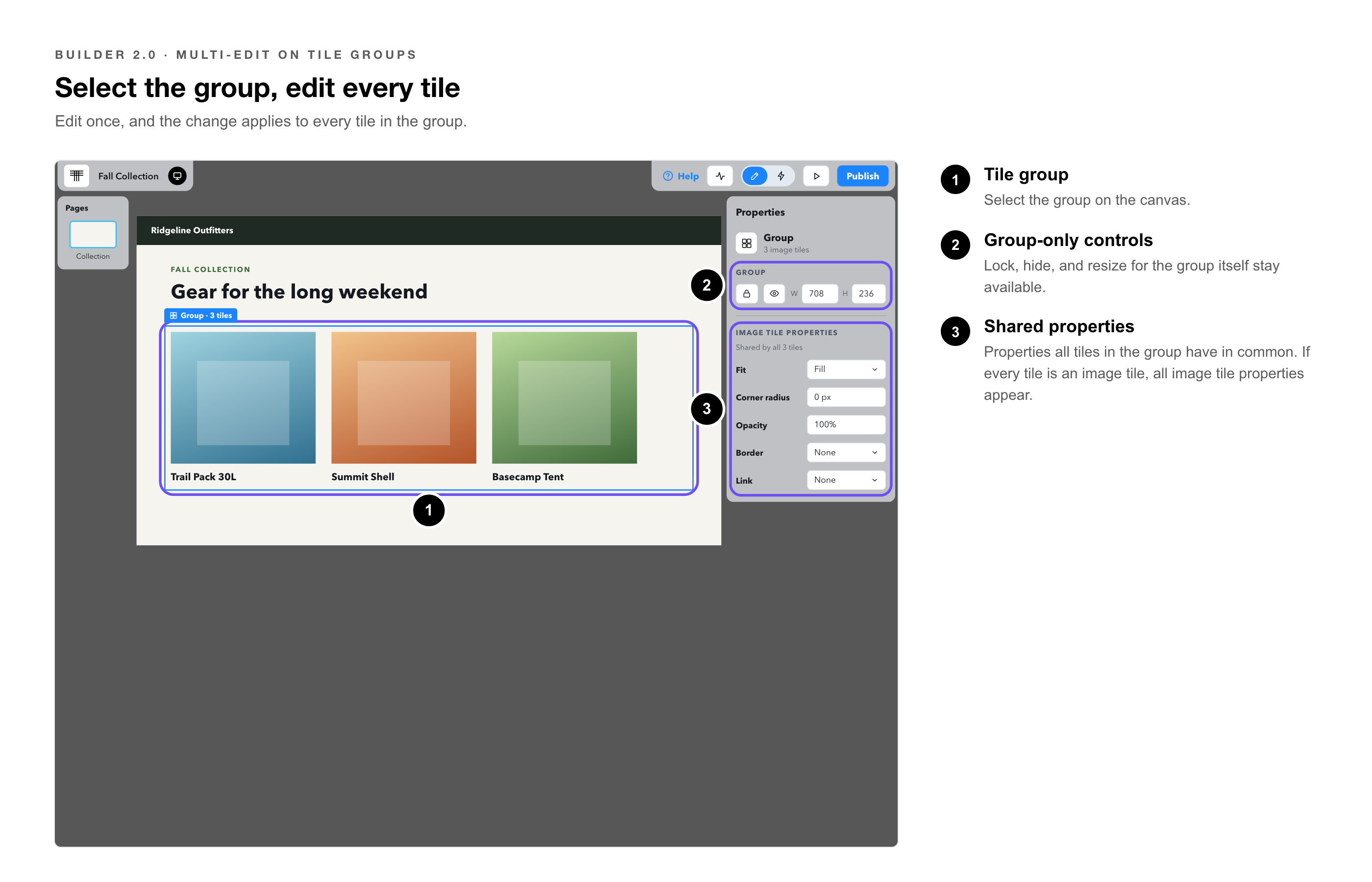
Properties that all tiles in the group have in common appear in the panel and are editable. For example, if all tiles in the group are image tiles, all image tile properties appear. |
|
Mixed values |
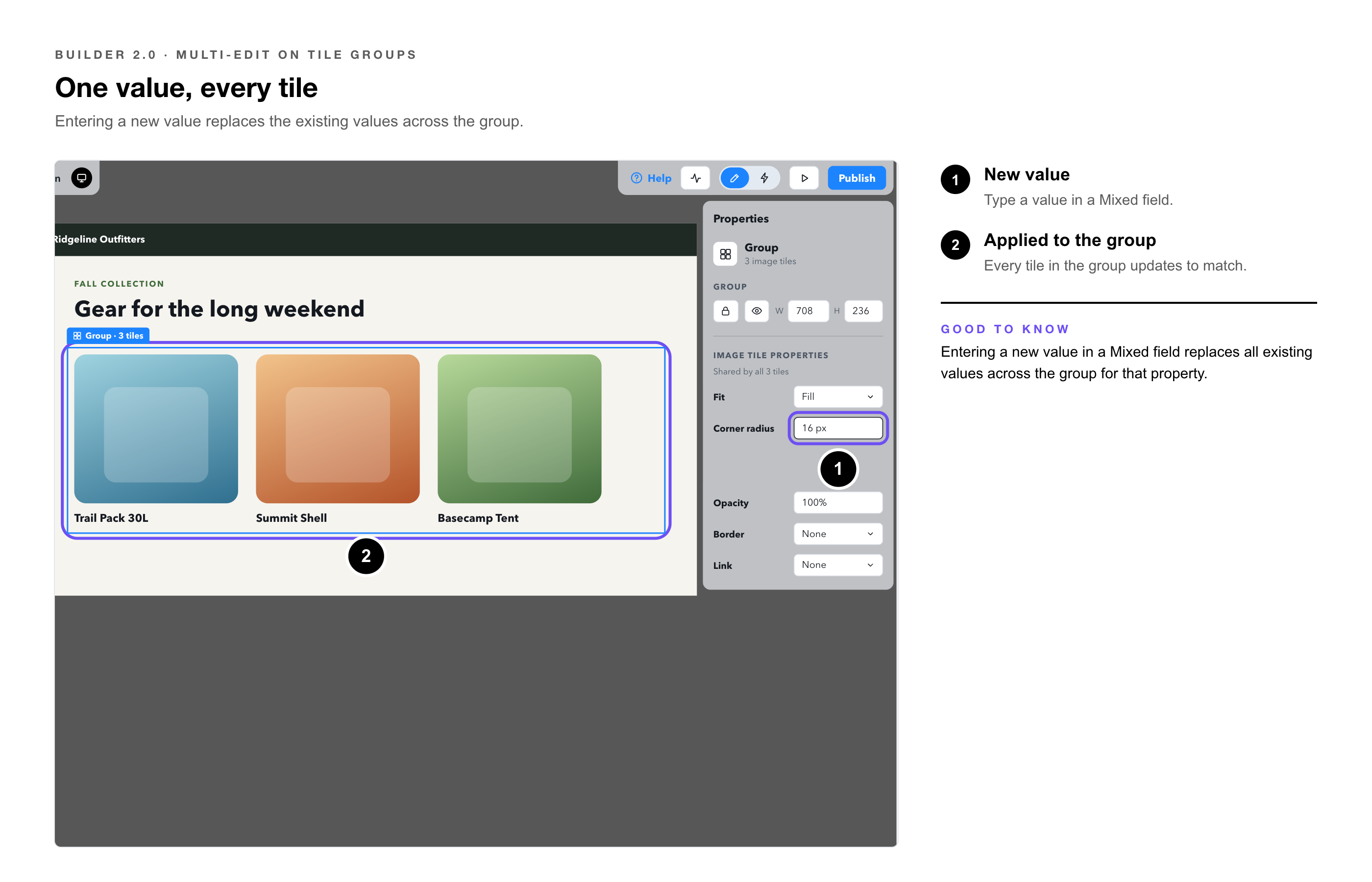
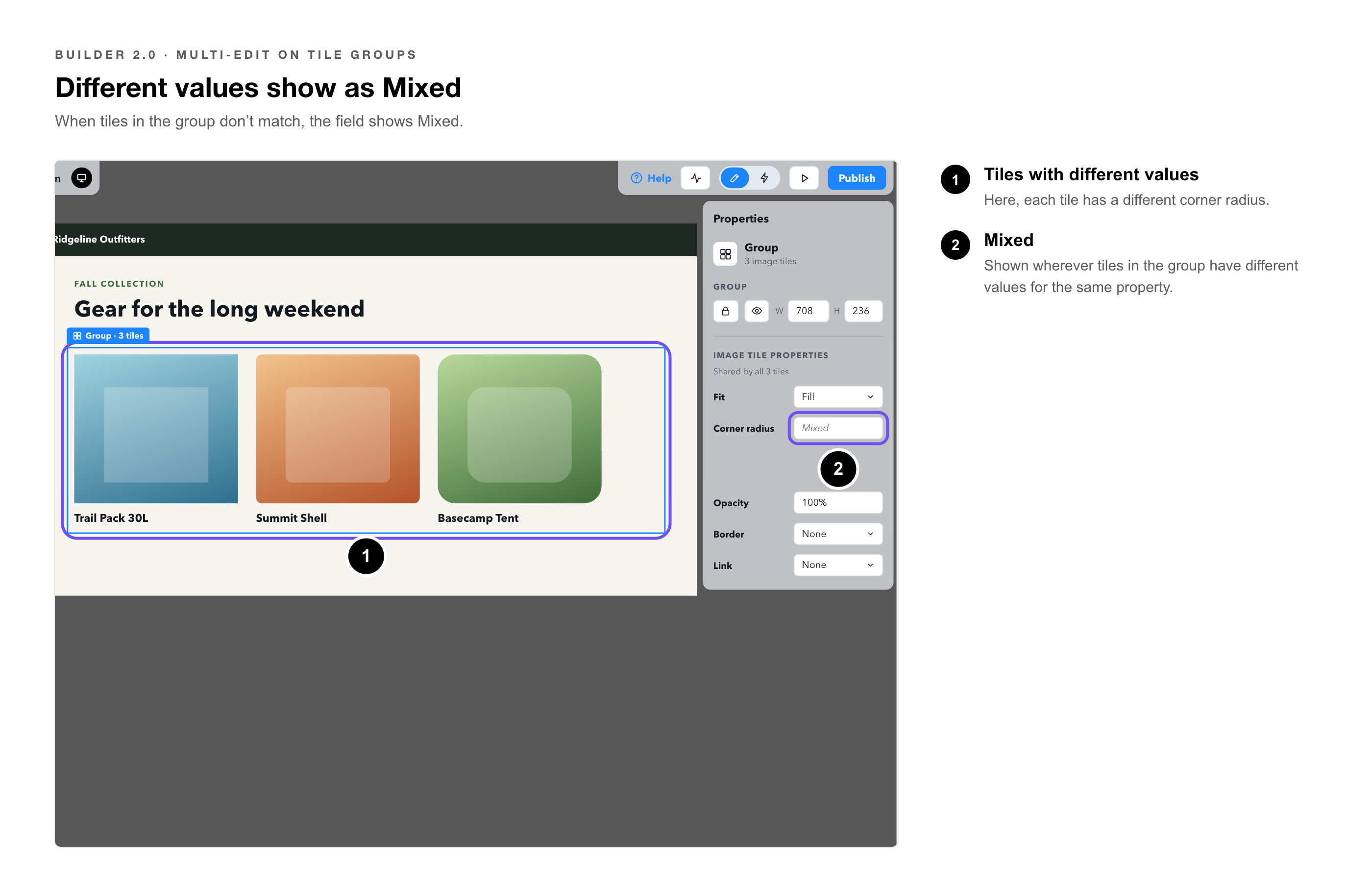
Where tiles in the group have different values for the same property, the field shows Mixed. Entering a new value replaces all existing values across the group for that property. |
|
Group-only controls |
Lock, hide, and resize controls for the group itself remain available alongside the tile property panel. |
|
Note: This works the same way as multi-tile editing. The difference is that group selection now triggers the same behavior automatically, without needing to enter the group and manually select tiles. |