![logo-horizontal_w.png]](https://support.tiled.co/hs-fs/hubfs/logo-horizontal_w.png?height=30&name=logo-horizontal_w.png)
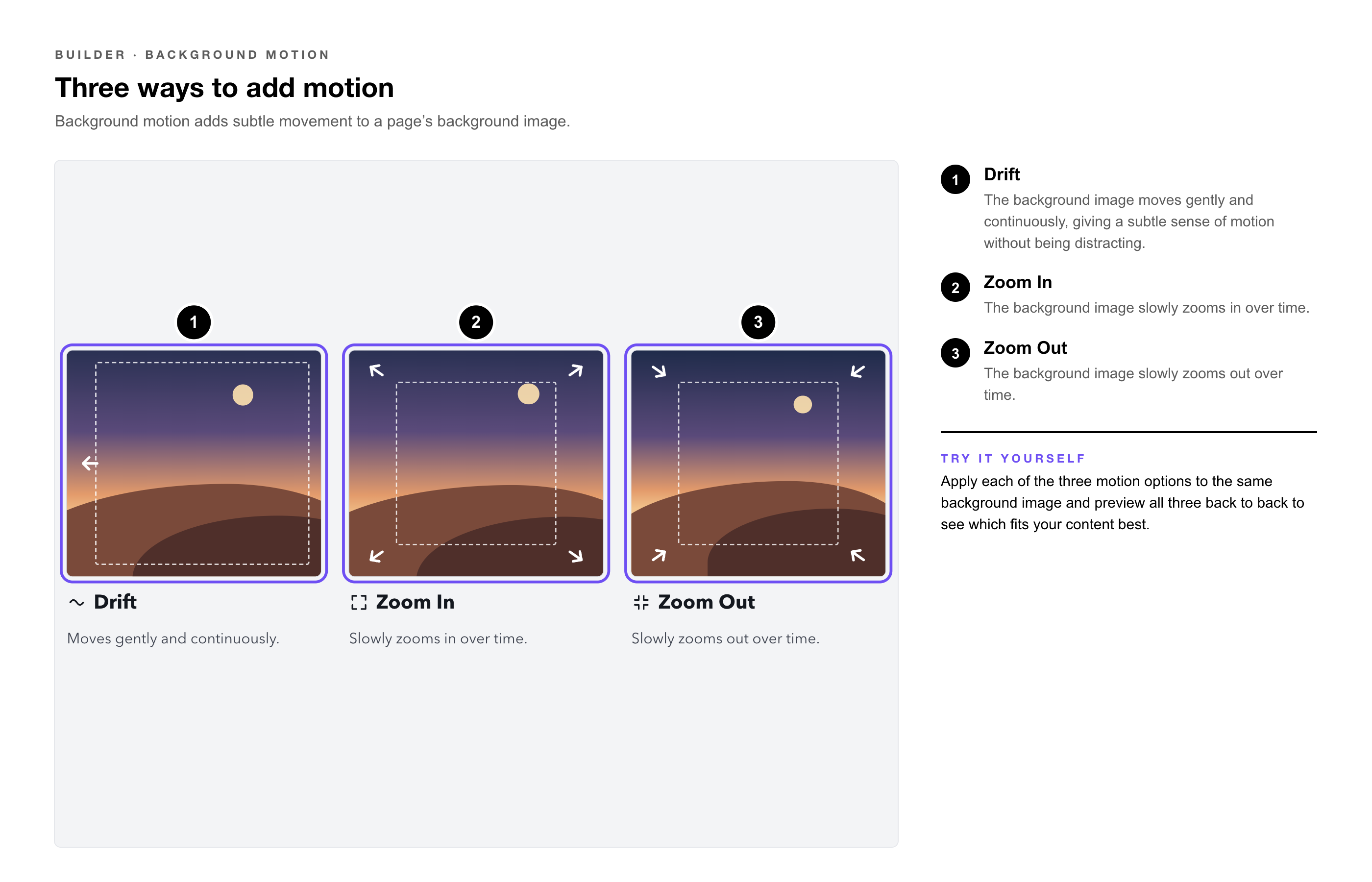
Available Motion Effects
|
Effect |
What It Does |
|
Drift |
The background image moves gently and continuously, giving a subtle sense of motion without being distracting. |
|
Zoom In |
The background image slowly zooms in over time. |
|
Zoom Out |
The background image slowly zooms out over time. |
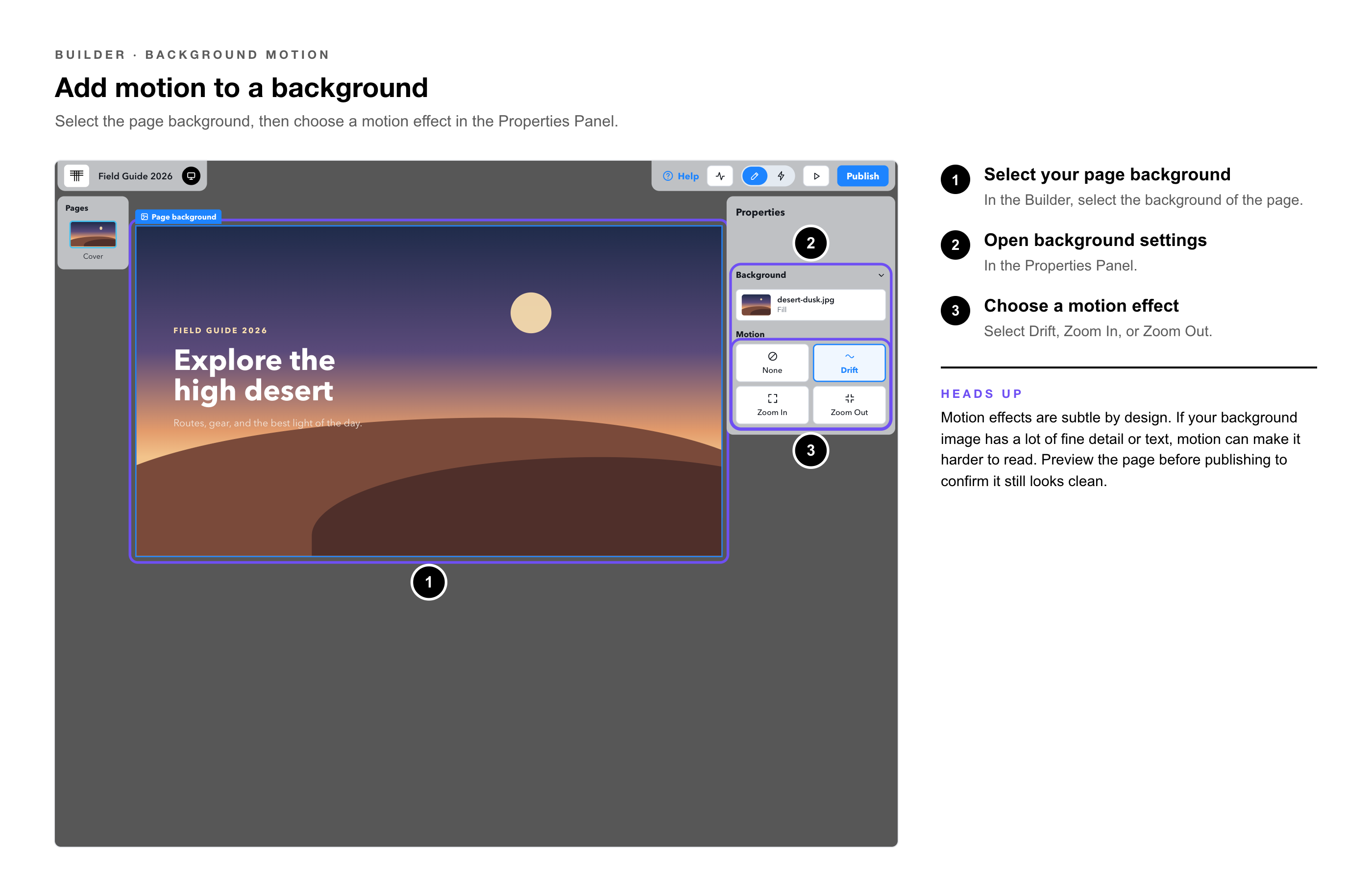
 Adding Motion to a Background
1. Select your page background — in the Builder.
2. Open background settings — in the Properties Panel.
3. Choose a motion effect — select Drift, Zoom In, or Zoom Out.
|
Heads Up: Motion effects are subtle by design. If your background image has a lot of fine detail or text, a motion effect can make it harder to read — preview the page before publishing to confirm it still looks clean. |
.png?width=670&height=283&name=tiled-builder-motion-showcase@2x%20(1).png)
|
Try It Yourself: Apply each of the three motion options to the same background image and preview all three back to back to see which fits your content best. |
• Getting to Know the Tiled Microapp Builder — Background Panel overview.