![logo-horizontal_w.png]](https://support.tiled.co/hs-fs/hubfs/logo-horizontal_w.png?height=30&name=logo-horizontal_w.png)
Asking a Question
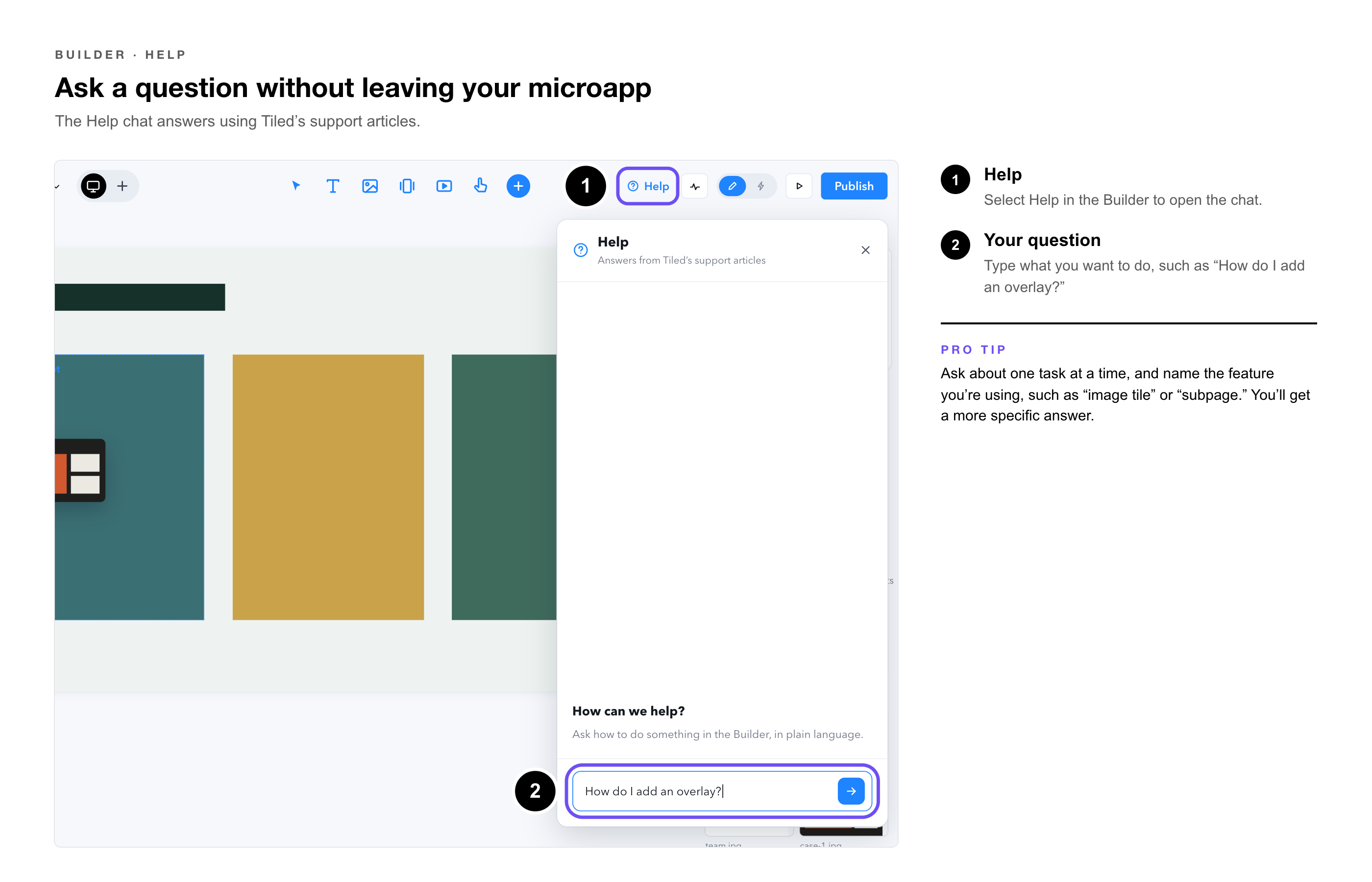
1. Select Help — in the Builder.
2. Type your question, — such as “How do I add an overlay?”
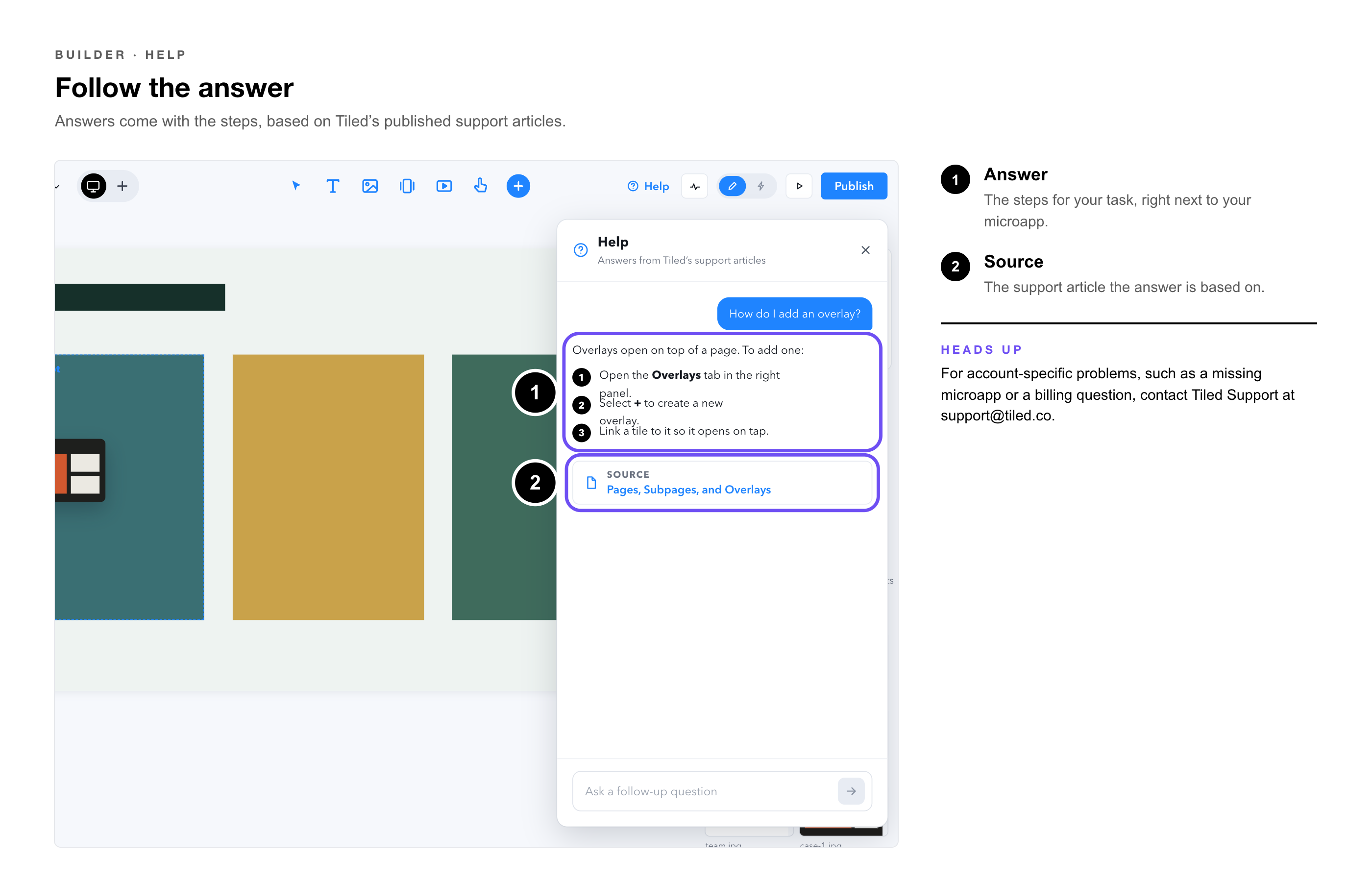
3. Follow the answer, — which is based on Tiled’s published support articles.
|
Pro Tip: Ask about one task at a time, and name the feature you’re using, such as “image tile” or “subpage.” You’ll get a more specific answer. |
|
Heads Up: The Help chat answers from Tiled’s support articles. For account-specific problems, such as a missing microapp or a billing question, contact Tiled Support at support@tiled.co. |
|
Question |
Answer |
|
What does the Help chat know? |
It answers from Tiled’s support articles at support.tiled.co. |
|
Can it see my microapp or account? |
It answers general how-to questions. Contact Tiled Support for anything specific to your account. |
|
Where did the old help panel go? |
The Help button now opens the Help chat instead. |
• Design Tools and AI in Tiled — Where AI helps in the Tiled workflow.
• Getting Started for Designers — From first idea to a published microapp.