![logo-horizontal_w.png]](https://support.tiled.co/hs-fs/hubfs/logo-horizontal_w.png?height=30&name=logo-horizontal_w.png)
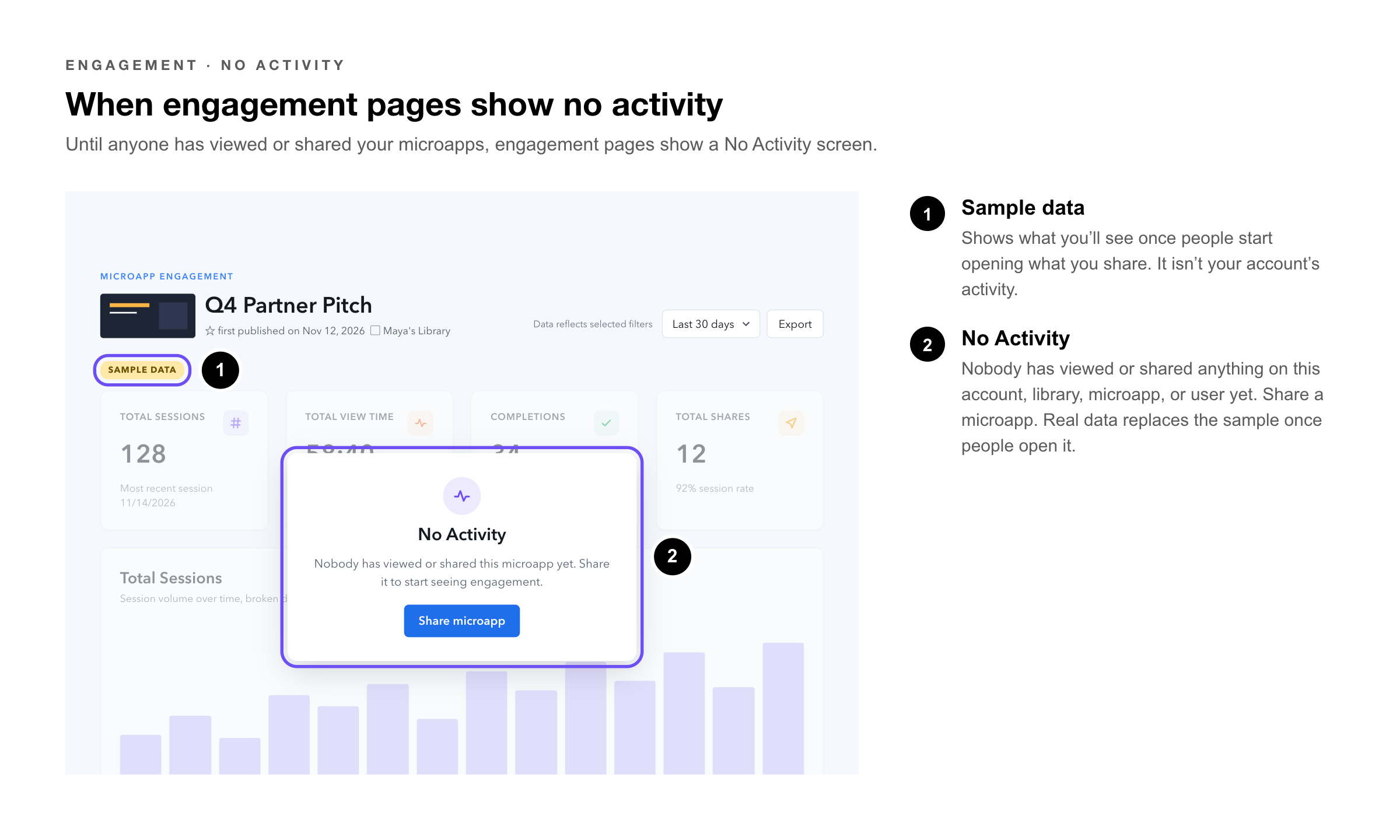
Until anyone has viewed or shared your microapps, Tiled’s engagement pages show a No Activity screen. It uses sample data to show what you’ll see once people start opening what you share.
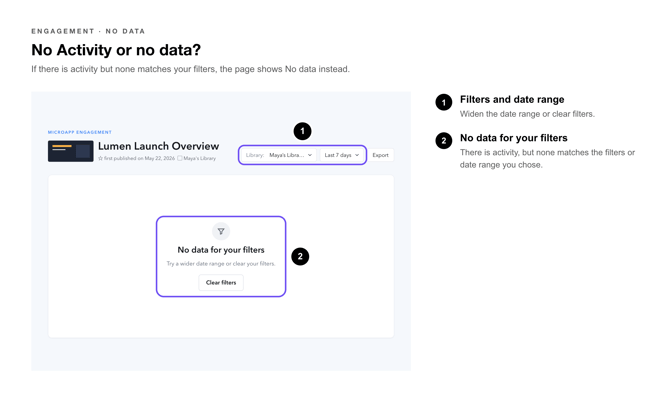
No Activity or No Data?
|
What You See |
What It Means |
What to Do |
|
No Activity, with sample data |
Nobody has viewed or shared anything on this account, library, microapp, or user yet. |
Share a microapp. Real data replaces the sample once people open it. |
|
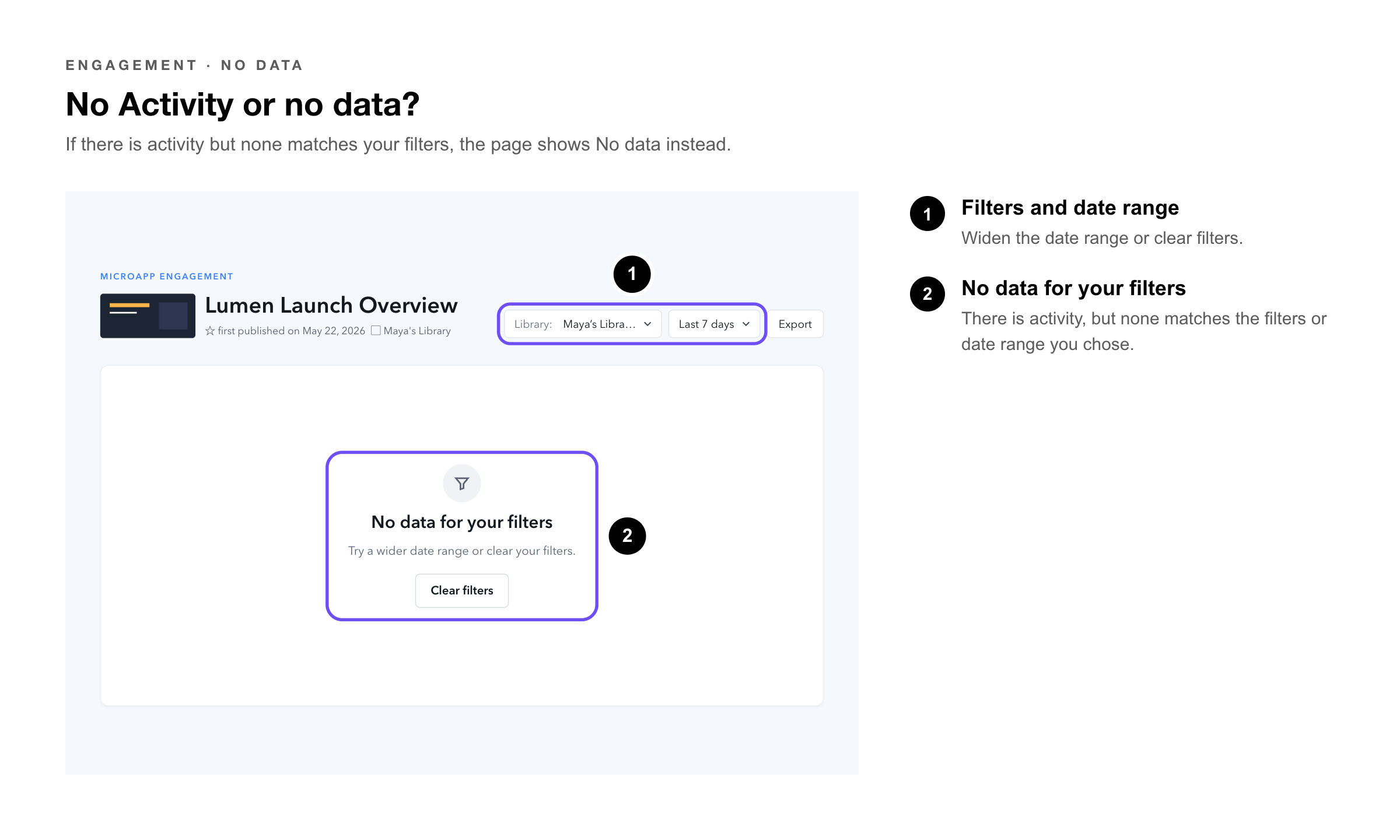
No data for your filters |
There is activity, but none matches the filters or date range you chose. |
Widen the date range or clear filters. |
|
Note: The sample data is only an example of what you’ll see. It isn’t your account’s activity. |
 Getting Your First Data
1. Publish a microapp — you’re ready to share.
2. Share it, — for example with a direct share link to a colleague.
3. Come back once it’s opened. — Sessions and engagement replace the No Activity screen.
|
Try It Yourself: Send a direct share link to a teammate and ask them to open it. Their session shows you exactly what your engagement pages will track. |
Related Articles
• Microapp Analytics — The full engagement page.
• Engagement: Overall Activity — Activity across your account.
• Sending a Direct Share Link — Sharing with one person and tracking their engagement.