![logo-horizontal_w.png]](https://support.tiled.co/hs-fs/hubfs/logo-horizontal_w.png?height=30&name=logo-horizontal_w.png)
Add one teammate or a whole team at once. Paste their email addresses or upload a CSV, then give each person a role and the libraries they need. Tiled can send each of them a welcome email so they can set a password and sign in.
Where to Add People
|
Start From |
How |
|
User Management |
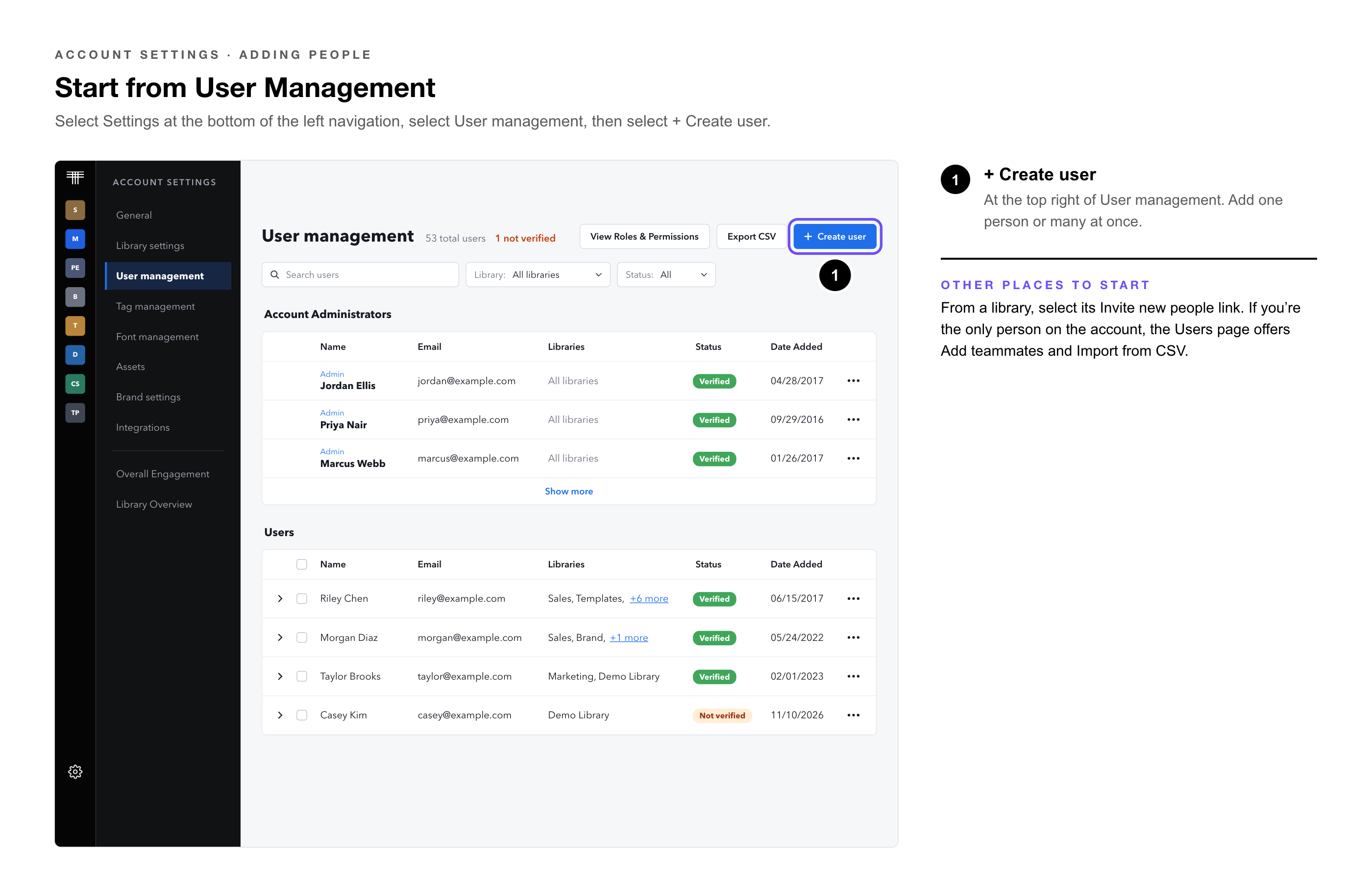
Select Settings at the bottom of the left navigation, select User management, then select + Create user.
|
|
A library |
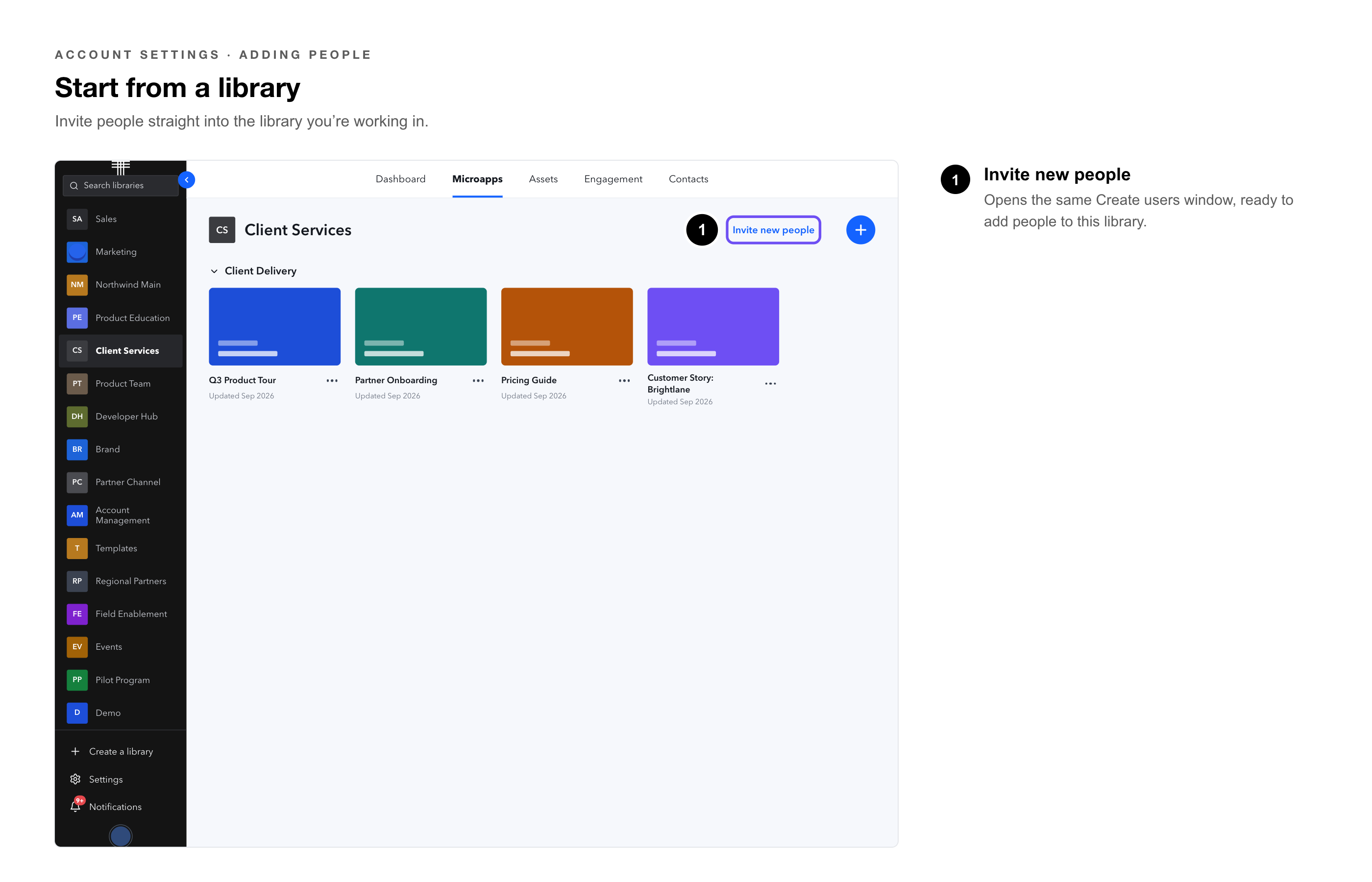
Select the library’s Invite new people link.
|
|
An empty Users page |
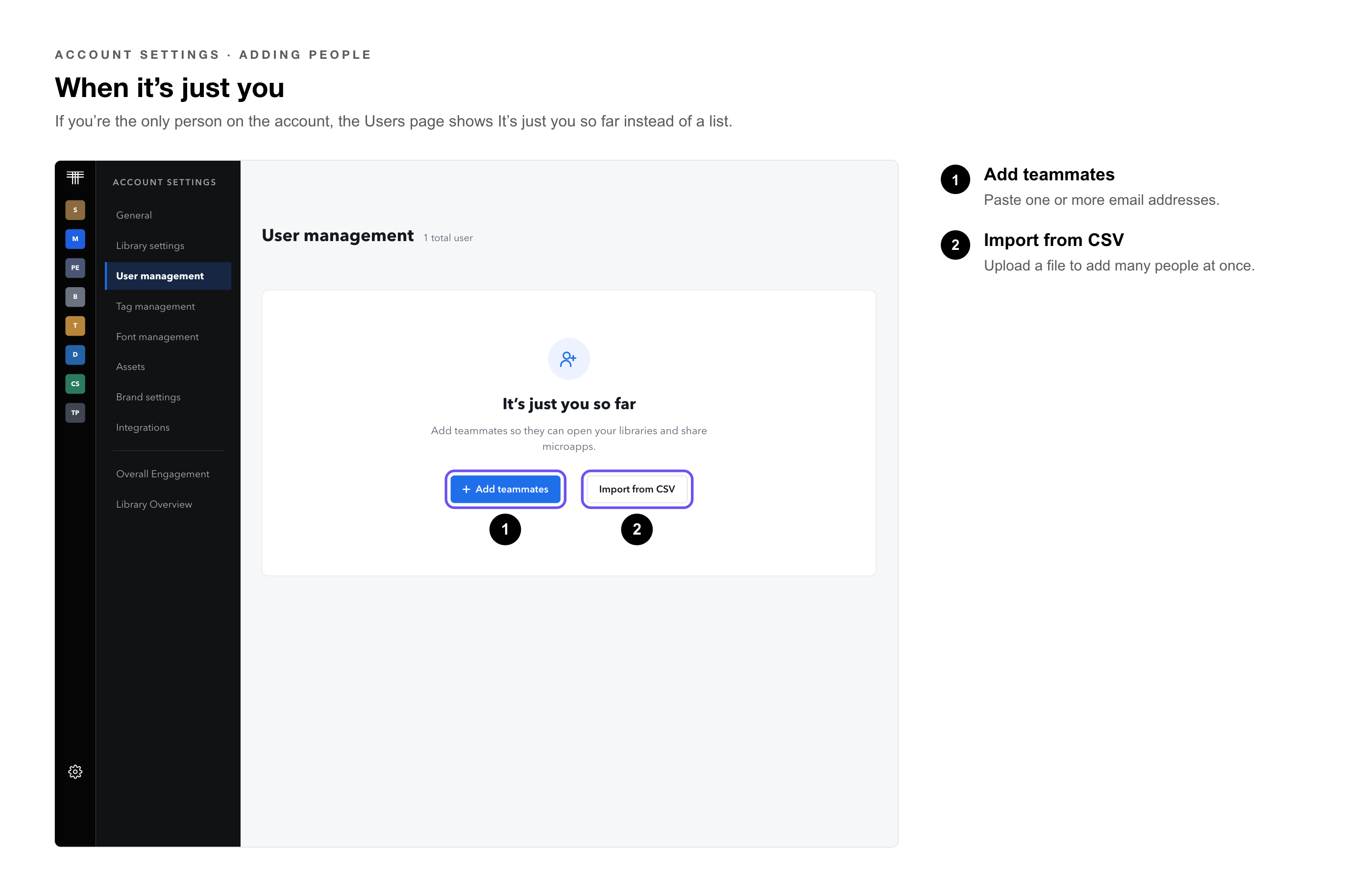
When you’re the only person on the account, the Users page shows It’s just you so far. Select Add teammates or Import from CSV.
|
Add People
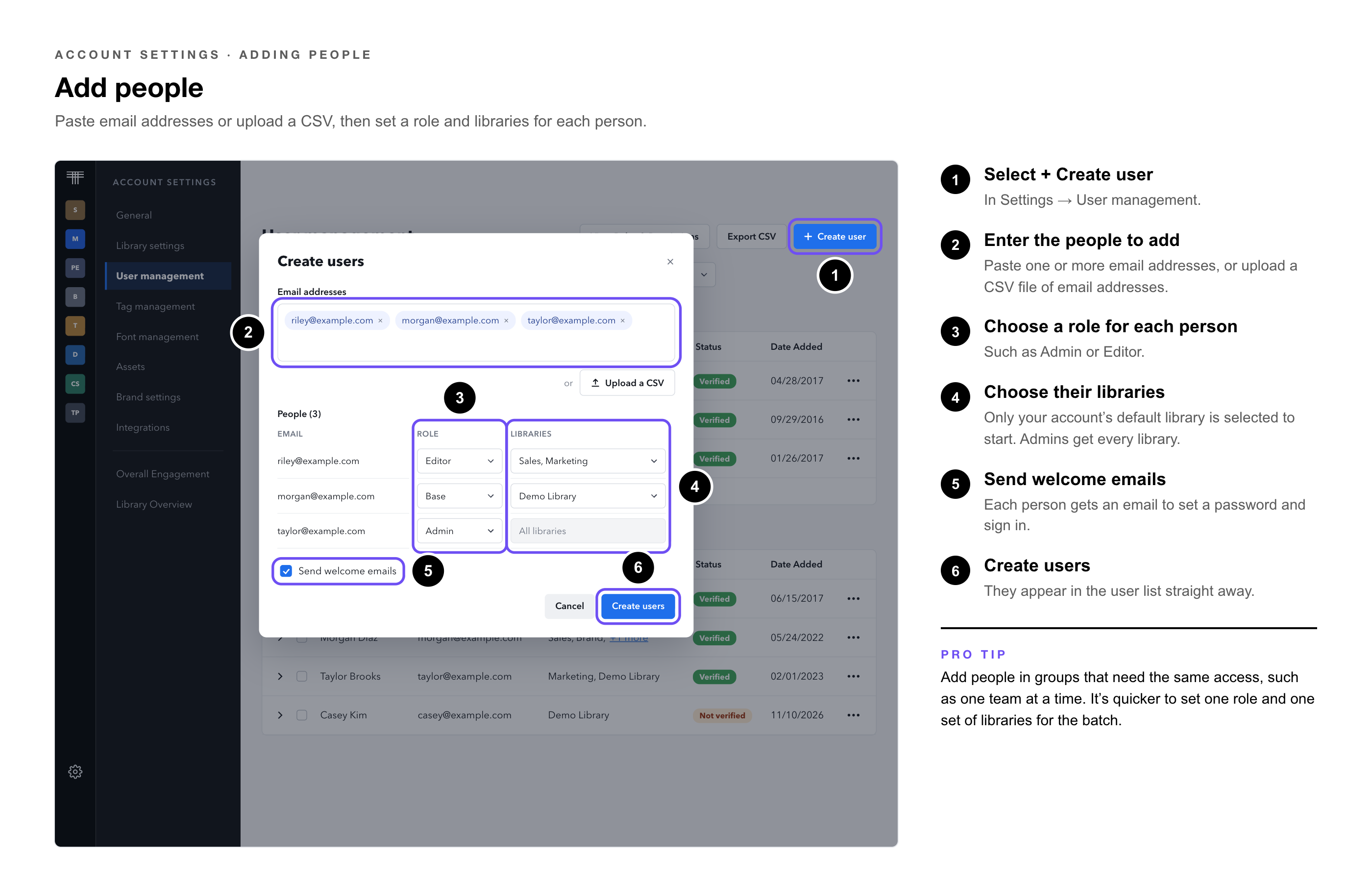
1. Select + Create user — in Settings → User management.
2. Enter the people to add. — Paste one or more email addresses, or upload a CSV file of email addresses.
3. Choose a role for each person, — such as Admin or Editor.
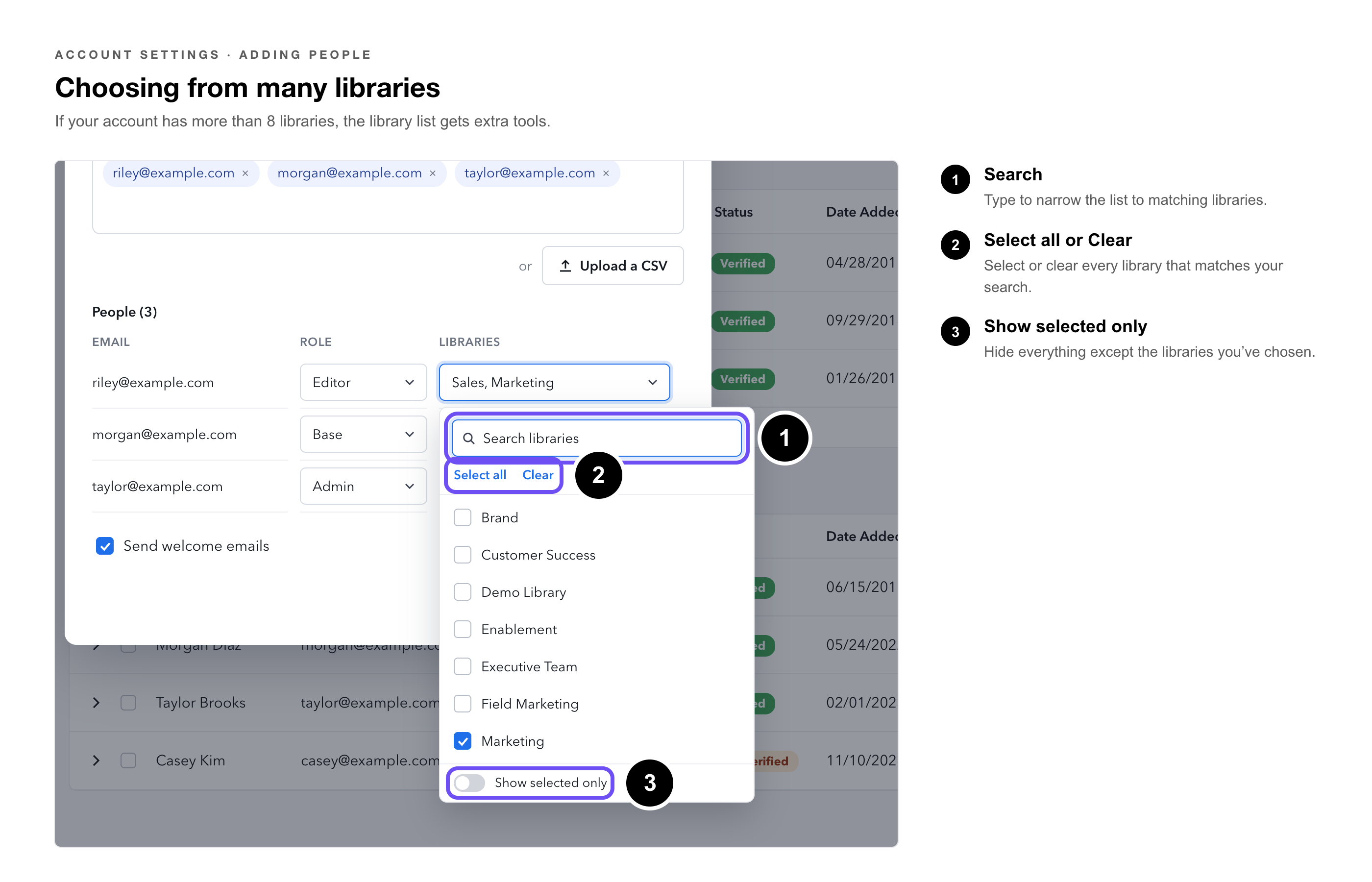
4. Choose the libraries each person can open. — Only your account’s default library is selected to start.
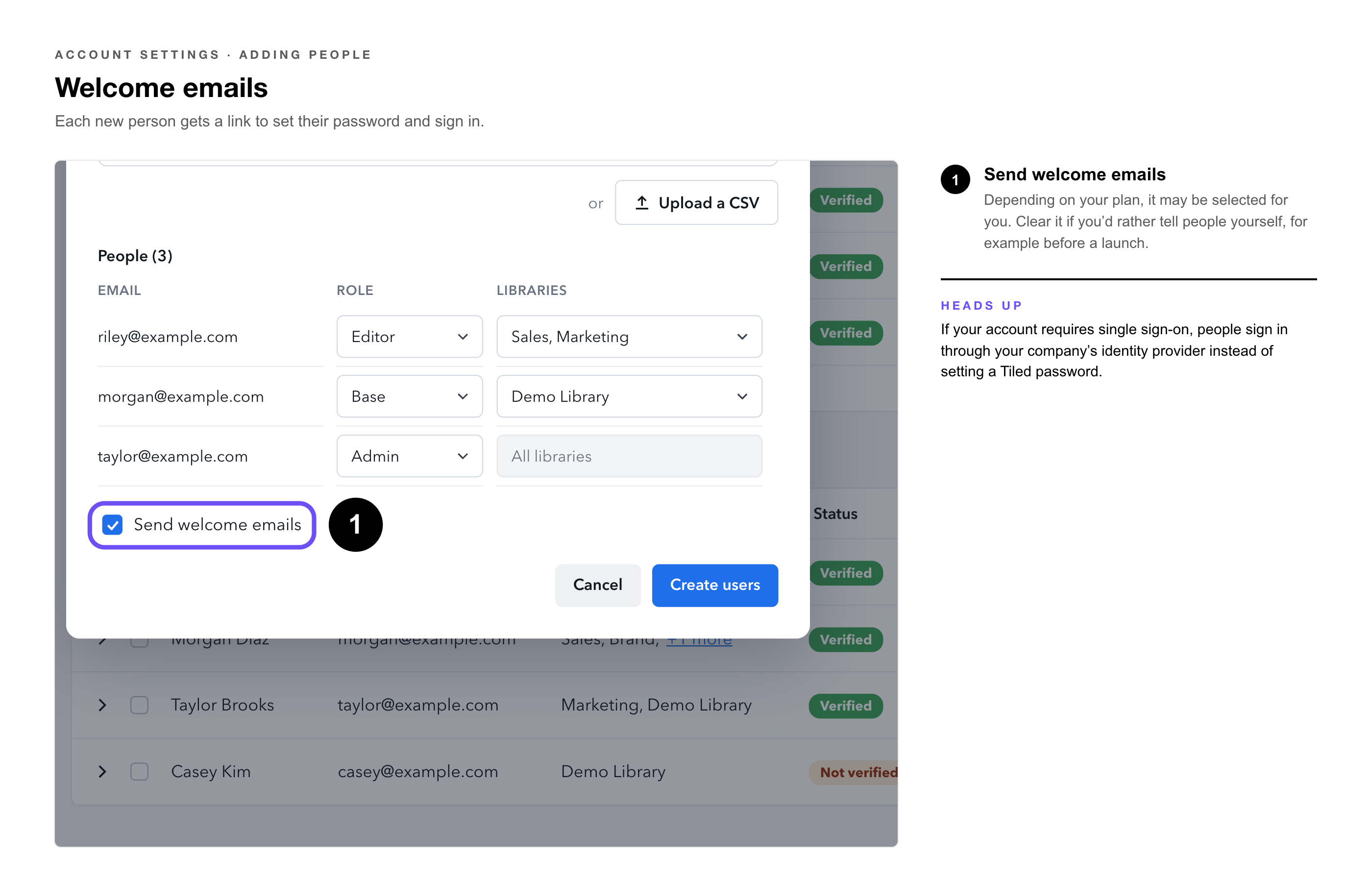
5. Choose whether to send welcome emails. — Each person gets an email to set a password and sign in.
6. Confirm to add them. — They appear in the user list straight away.
|
Pro Tip: Add people in groups that need the same access, such as one team at a time. It’s quicker to set one role and one set of libraries for everyone in the batch. |
|
|
Welcome Emails
When Send welcome emails is selected, each new person gets an email with a link to set their password and sign in. Depending on your plan, it may be selected for you. Clear it if you’d rather tell people yourself, for example before a launch.
|
Heads Up: If your account requires single sign-on, people sign in through your company’s identity provider instead of setting a Tiled password. |
Common Questions
|
Question |
Answer |
|
Can I add several people at once? |
Yes. Paste several email addresses or upload a CSV. |
|
Can people in the same batch get different roles? |
Yes. Each person has their own role and libraries. |
|
Can I change someone’s role or libraries later? |
Yes, in Settings → User management. |
|
Someone didn’t get a welcome email. |
Ask them to check spam, and confirm Send welcome emails was selected when you added them. |
|
Can people get accounts automatically instead? |
Yes, if your account uses single sign-on with auto provisioning. See Account Settings: General. |
• Account Settings: User Management — Finding people, roles, and exporting the user list.
• Account Settings: Roles — What each role can do.
• Managing Libraries — How library access works.
• Configure SSO for Microsoft Entra ID — Signing in with your company’s identity provider.