![logo-horizontal_w.png]](https://support.tiled.co/hs-fs/hubfs/logo-horizontal_w.png?height=30&name=logo-horizontal_w.png)
When someone opens a shared microapp, a loading page shows while the content loads. Hide Loader turns that page off, so the microapp appears directly once it’s ready — a cleaner first impression for embeds, branded presentations, and live demos.
|
Note: The Hide Loader option only appears in the Share modal when you're creating an Embed share link. It is not available in the modal for Direct, Public, Subtag, or Broadcast share links — though see “Using the URL Parameter Directly” below for a way to apply the same behavior to any share link. |
Where Hide Loader Is Available
|
Link Type |
How to Hide the Loading Page |
|
Embed |
Turn on Hide Loader in the share form. |
|
Direct, Public, SubTag, Broadcast |
Add the hideLoader parameter to the link’s URL. There’s no toggle in the form for these. |
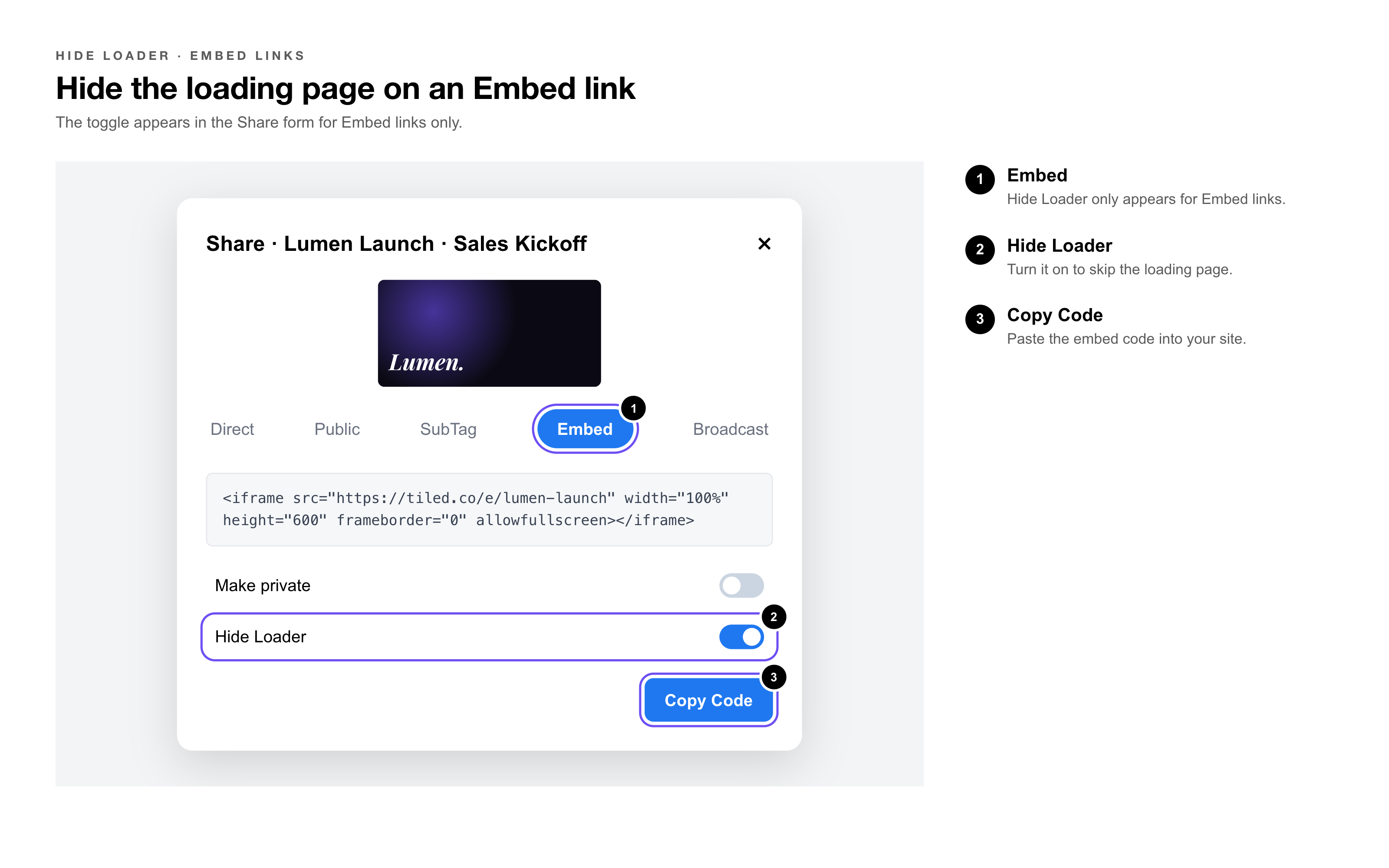
|
Heads Up: Hide Loader hides the loading page only — it doesn’t make the microapp load faster. Until the content is ready, viewers see a blank screen instead, which can be noticeable for microapps with large images or videos. |
Adding the Parameter to Any Share Link
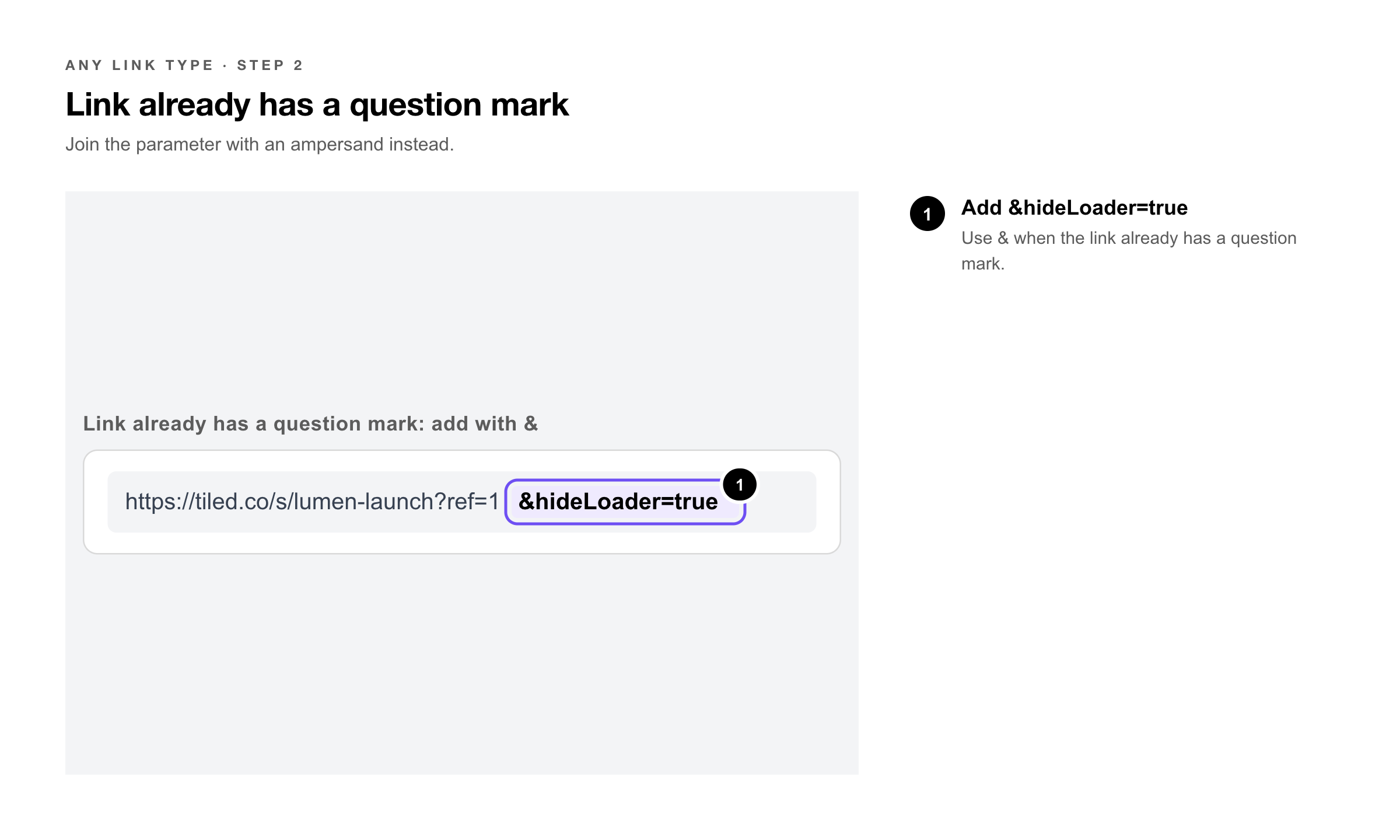
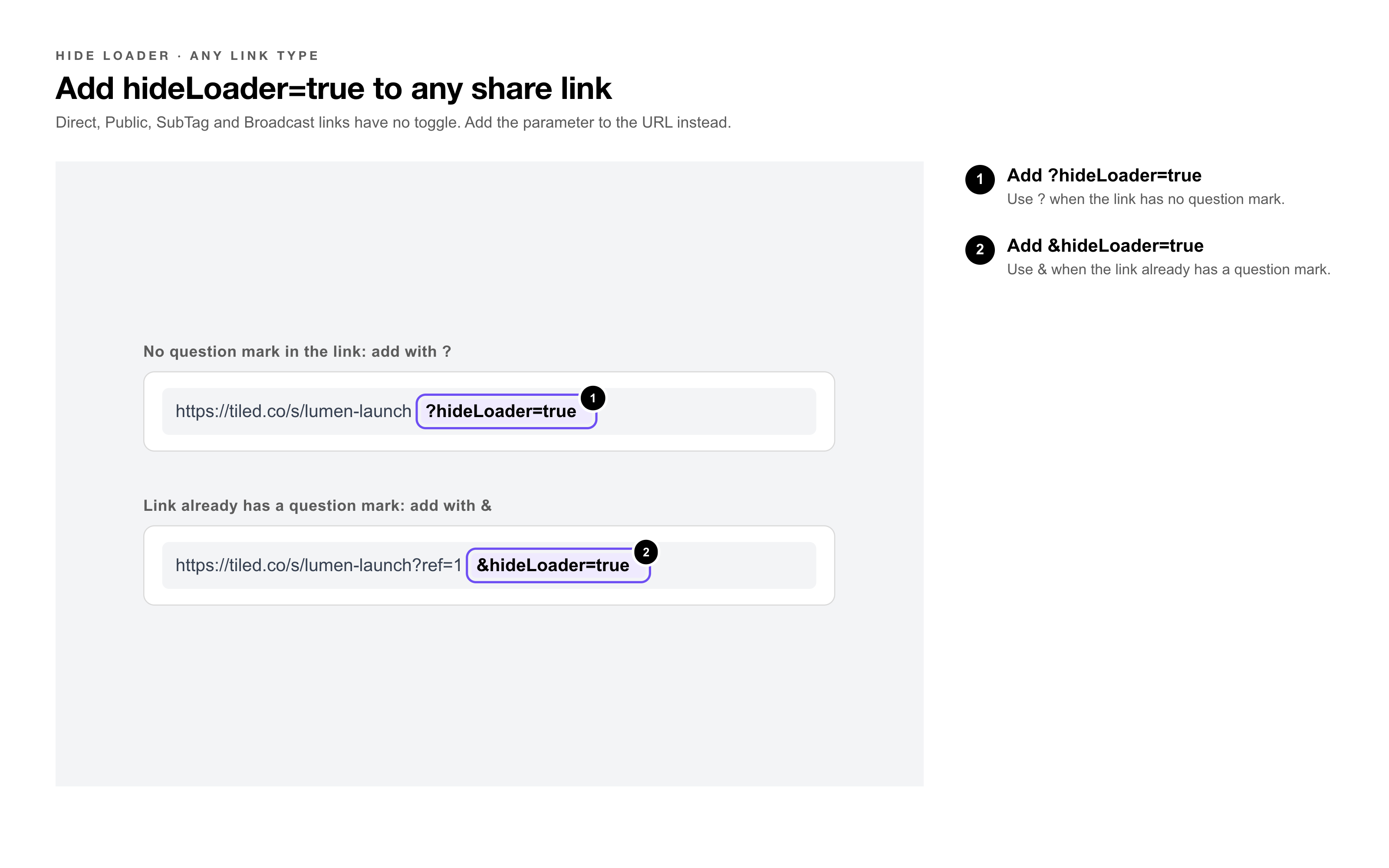 For any other link type, add hideLoader=true to the end of the share URL:
https://your-share-link?hideLoader=true
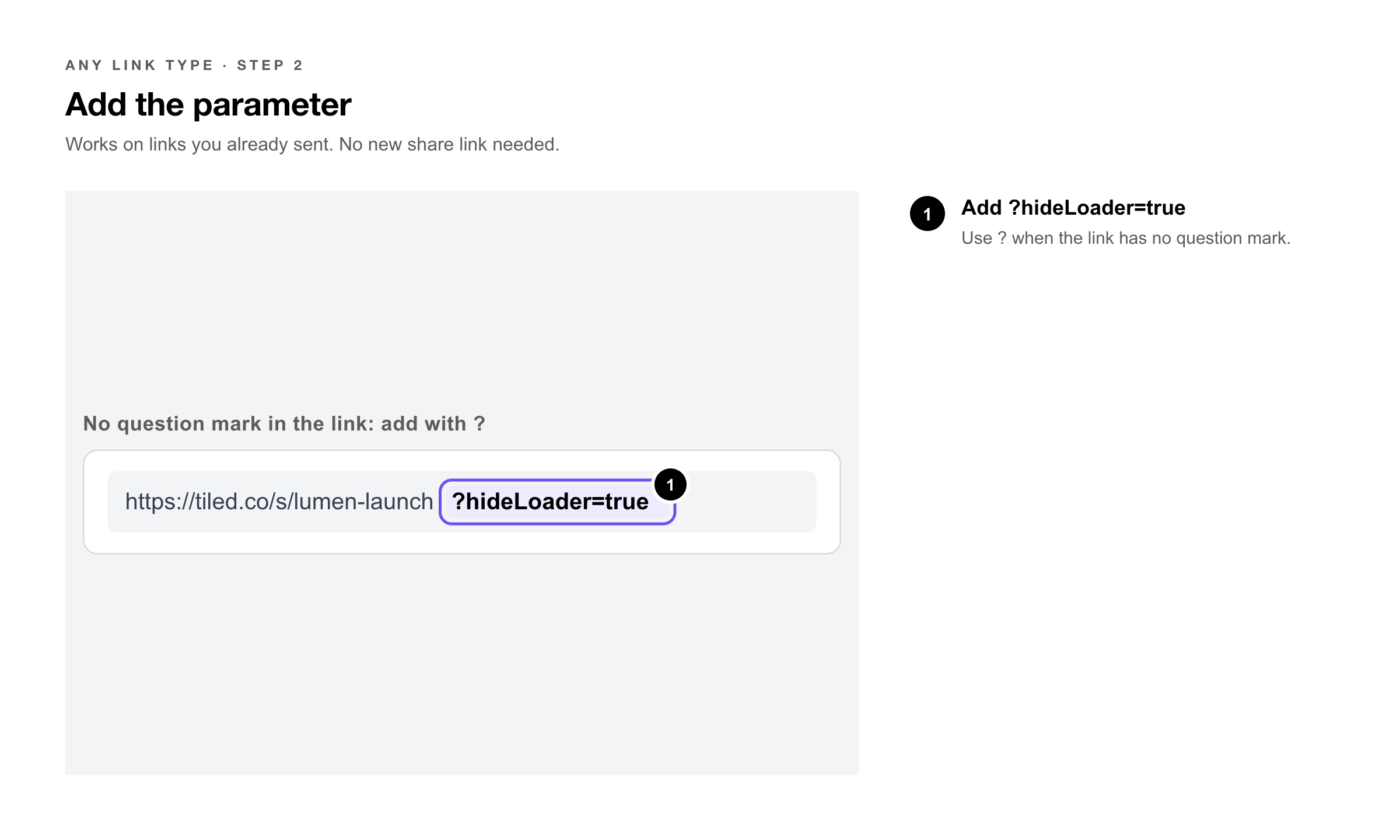 If the link already contains a question mark, add it with an ampersand instead:
https://your-share-link?existing=value&hideLoader=true
|
Pro Tip: You can add the parameter to a link you’ve already sent or posted — there’s no need to create a new share link. Recipients who use the updated URL won’t see the loading page. |
When to Use It
• Embeds — where a loading page looks out of place inside your website.
• Branded presentations — where the loading page doesn’t match the microapp’s look.
• Live demos — where you want a clean entry from the first frame.
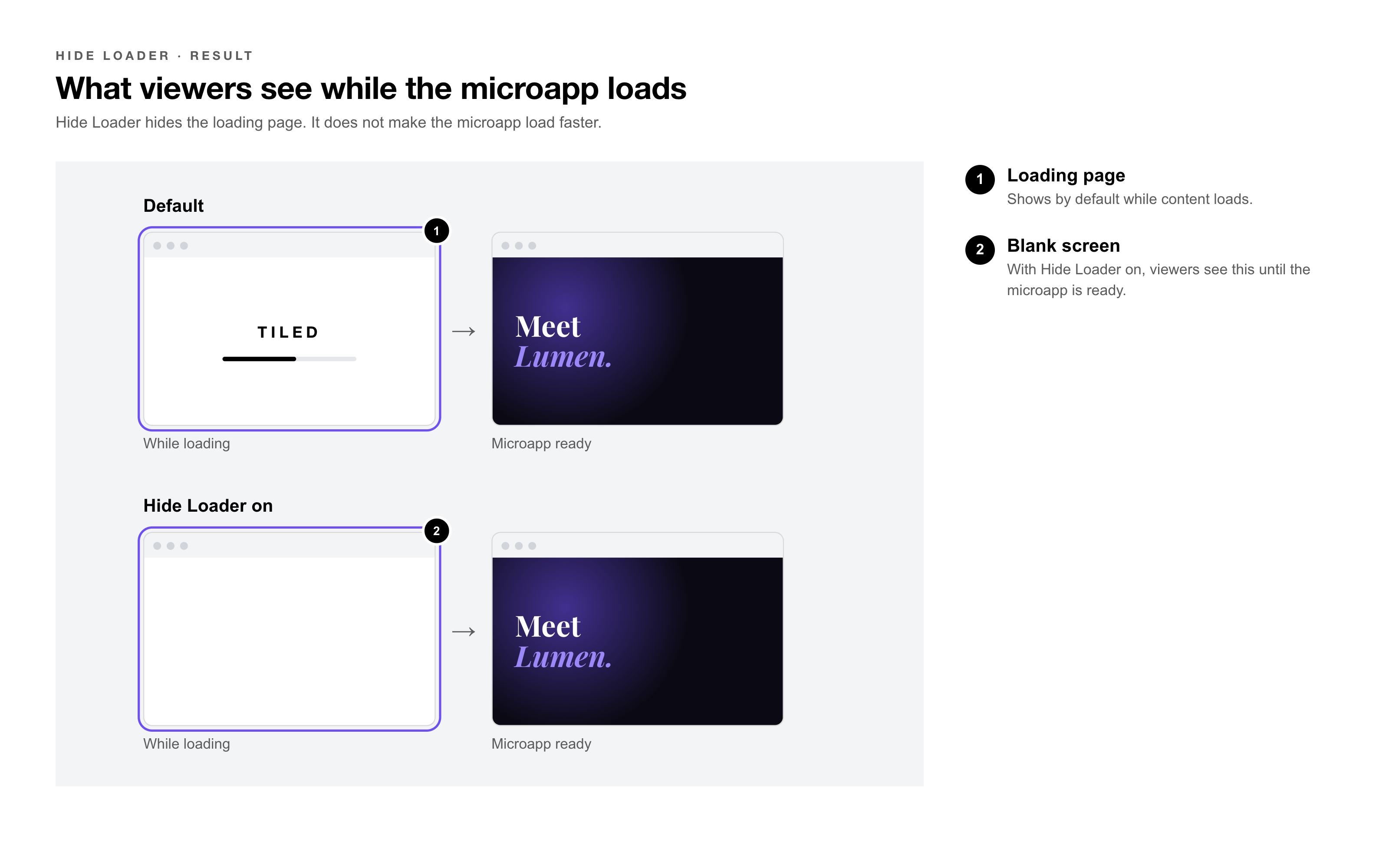
|
Try It Yourself: Open the same microapp twice in a private browser window — once with ?hideLoader=true and once without — on a slower connection. Comparing the two shows whether a blank frame or the loading page suits your microapp better. |
Common Questions
|
Question |
Answer |
|
Does hiding the loading page make the microapp load faster? |
No. It only changes what viewers see while the microapp loads. Load time stays the same. |
|
What do viewers see while the microapp loads? |
A blank screen until the content is ready. On slow connections or with large assets, that can last a moment. |
|
Why don’t I see the Hide Loader toggle? |
It only appears when you’re creating an Embed link. For other link types, add ?hideLoader=true to the URL. |
|
Can I change this on a link I’ve already shared? |
For Direct, Public, SubTag, and Broadcast links, add the parameter to the existing URL. For an embed, generate a new embed code with Hide Loader turned on and replace the old one on your page. |
|
My link already has a ? in it. Where does the parameter go? |
Add &hideLoader=true to the end instead of ?hideLoader=true. |
Related Articles
• How to Embed a Microapp on a Webpage — Creating and placing an embed.
• Using the Share Form — Every option in the share form.
• Public Links — The link type embeds are built on.
• Broadcast a Microapp (Live Session) — Presenting a microapp live.